Your entire Quality department, in one system
Qonforme integrates inspections, calibration, audits and nonconformances in one cloud service, for any industry. An NG on the shop floor, an out-of-tolerance gauge or an audit finding opens its nonconformance and its actions without re-entering anything, and every record is signed, traceable and audit-ready.

0 days
of trial with every module
Cpk and Ppk
calculated separately, as they should be
4 modules
sharing catalogs, users and signatures
Nothing to install
it all runs in the browser
Reports
Your quality data, already analyzed
No more copying into spreadsheets before the quality meeting: every report is calculated on demand, from the actual records of the period, site and area you choose, and respects what each user is allowed to see.
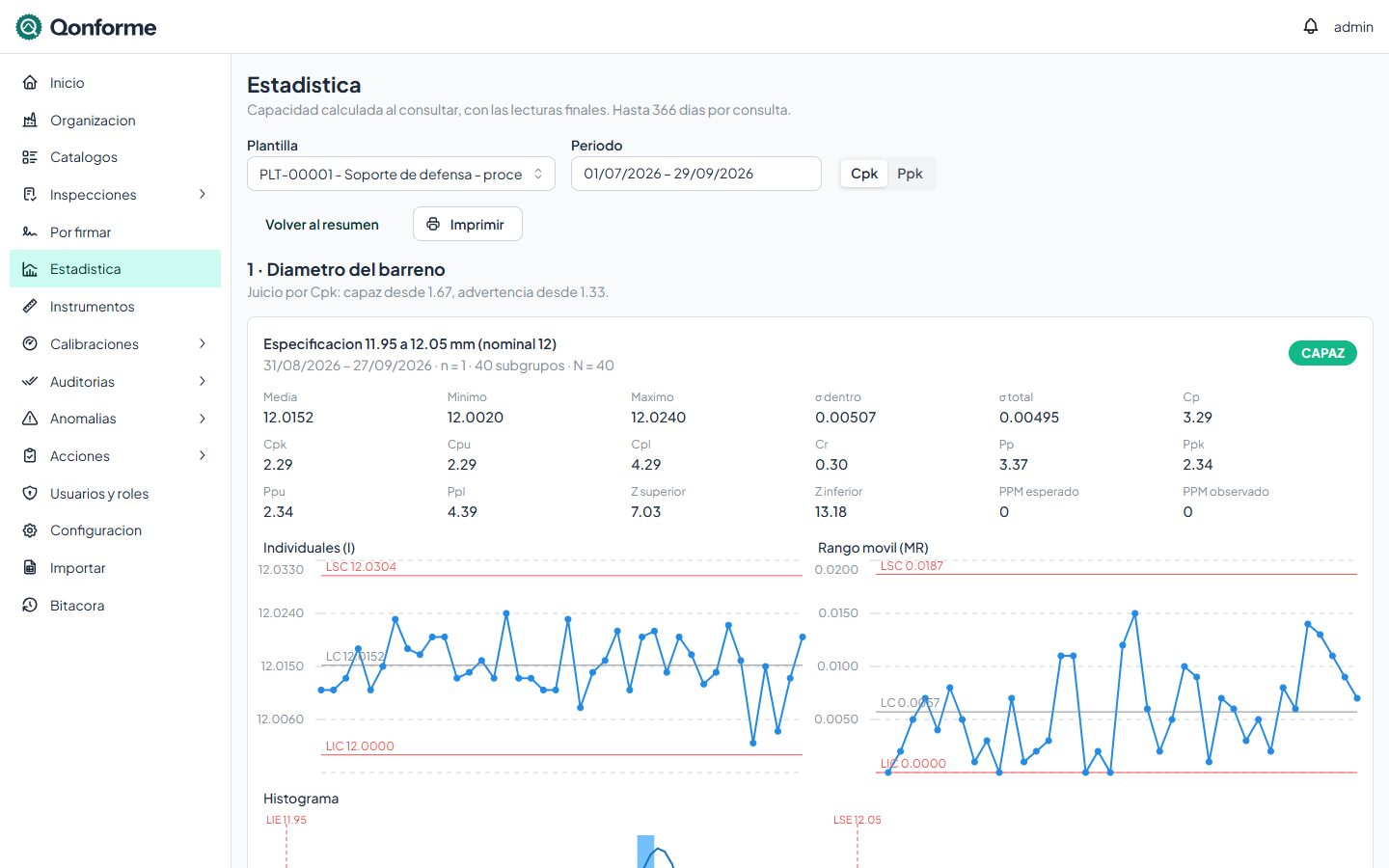
Process capability, calculated right
Cp and Cpk from within-subgroup variation, Pp and Ppk from overall variation, and Cpu or Cpl when the specification is one-sided. I-MR, X̄-R or X̄-S charts, histogram with the normal curve and expected versus observed PPM.
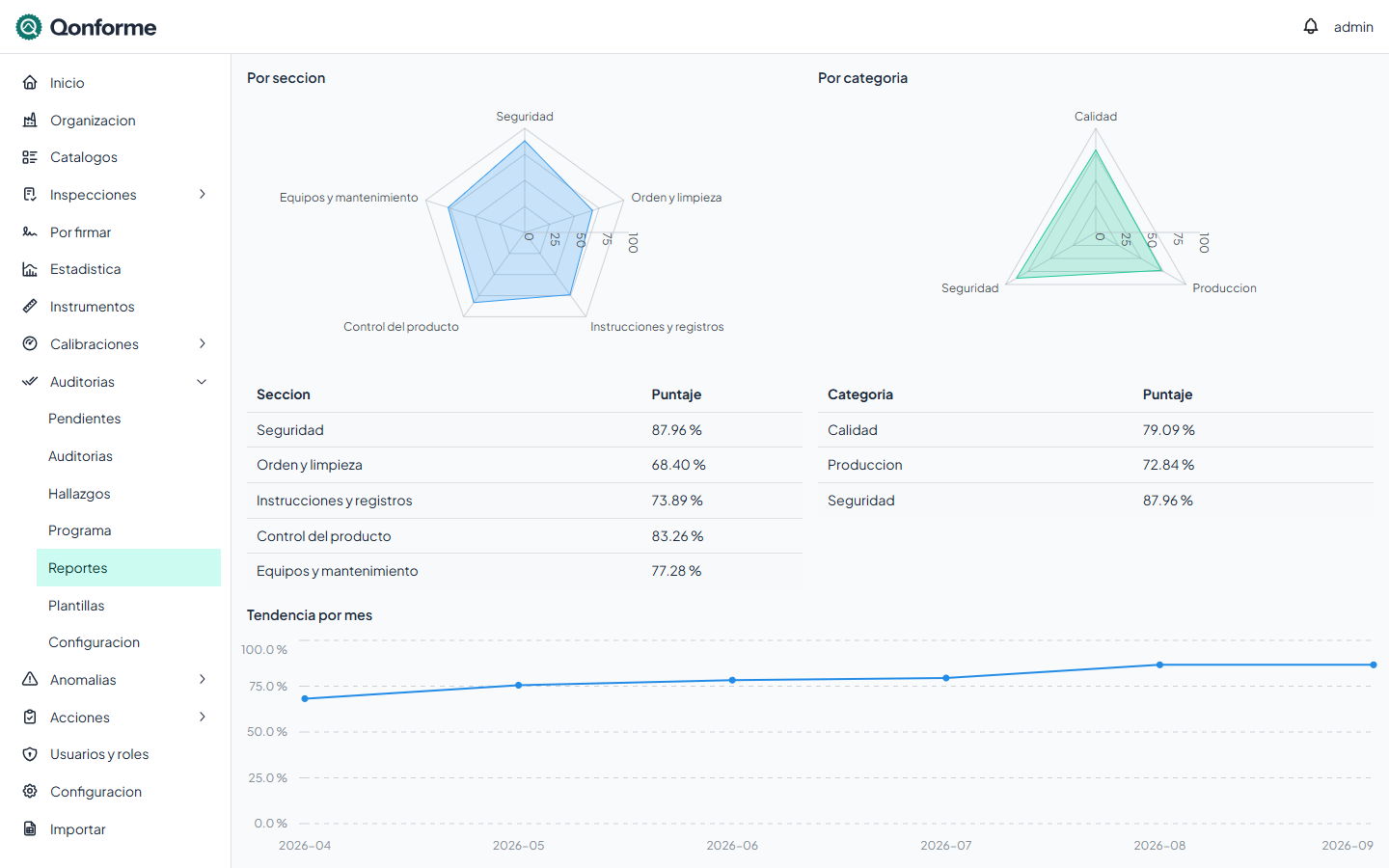
Every area's progress, month by month
Score by section and by category on radar charts, and the monthly trend against your target. Filter by template or area and see where your 5S, LPA or process audits get stuck.
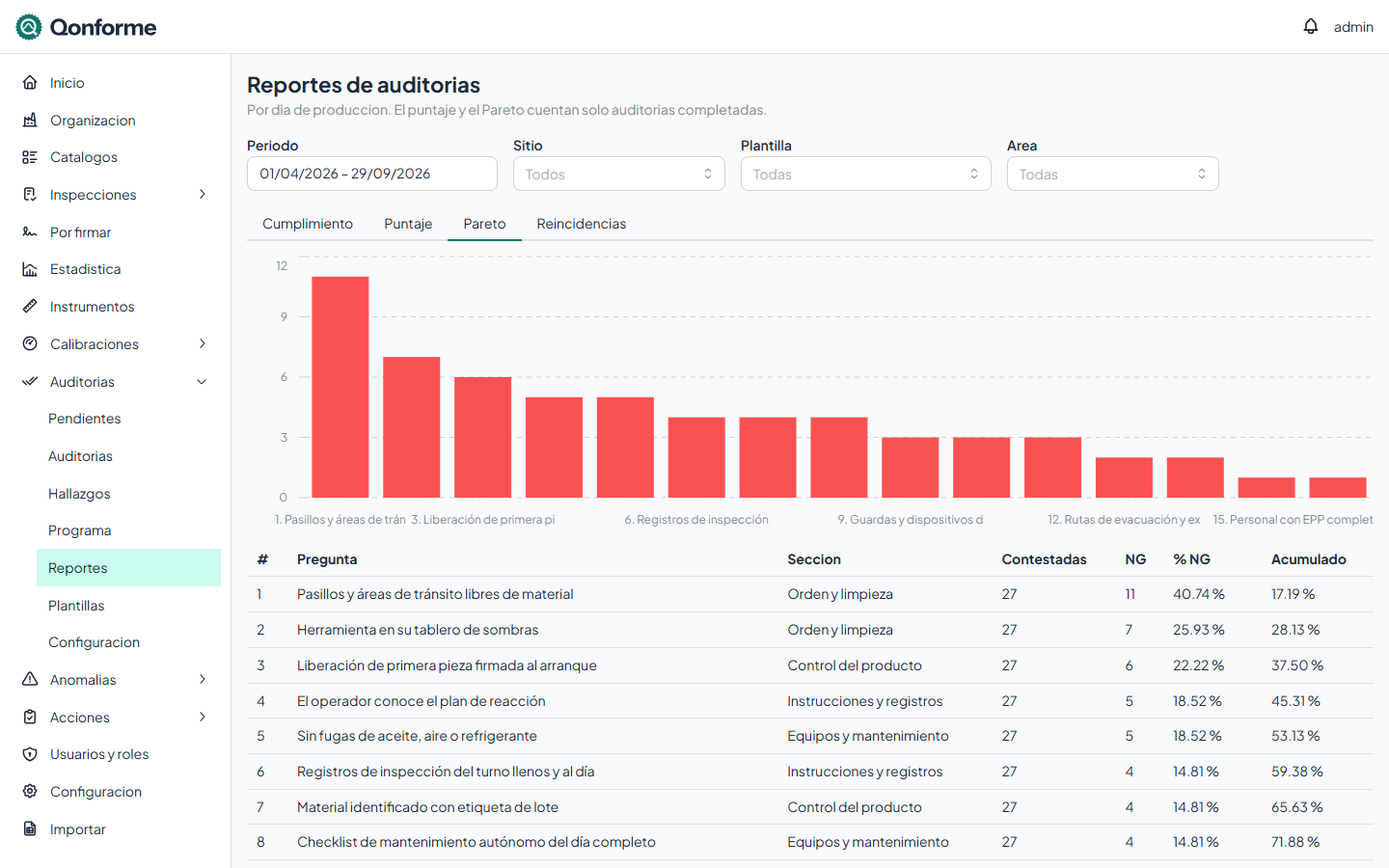
The questions that fail the most
A Pareto of the period's NG questions, with their percentage and cumulative share, even if a question's wording changed between revisions. Alongside it, repeat findings by area and the ones that already triggered a quick response.
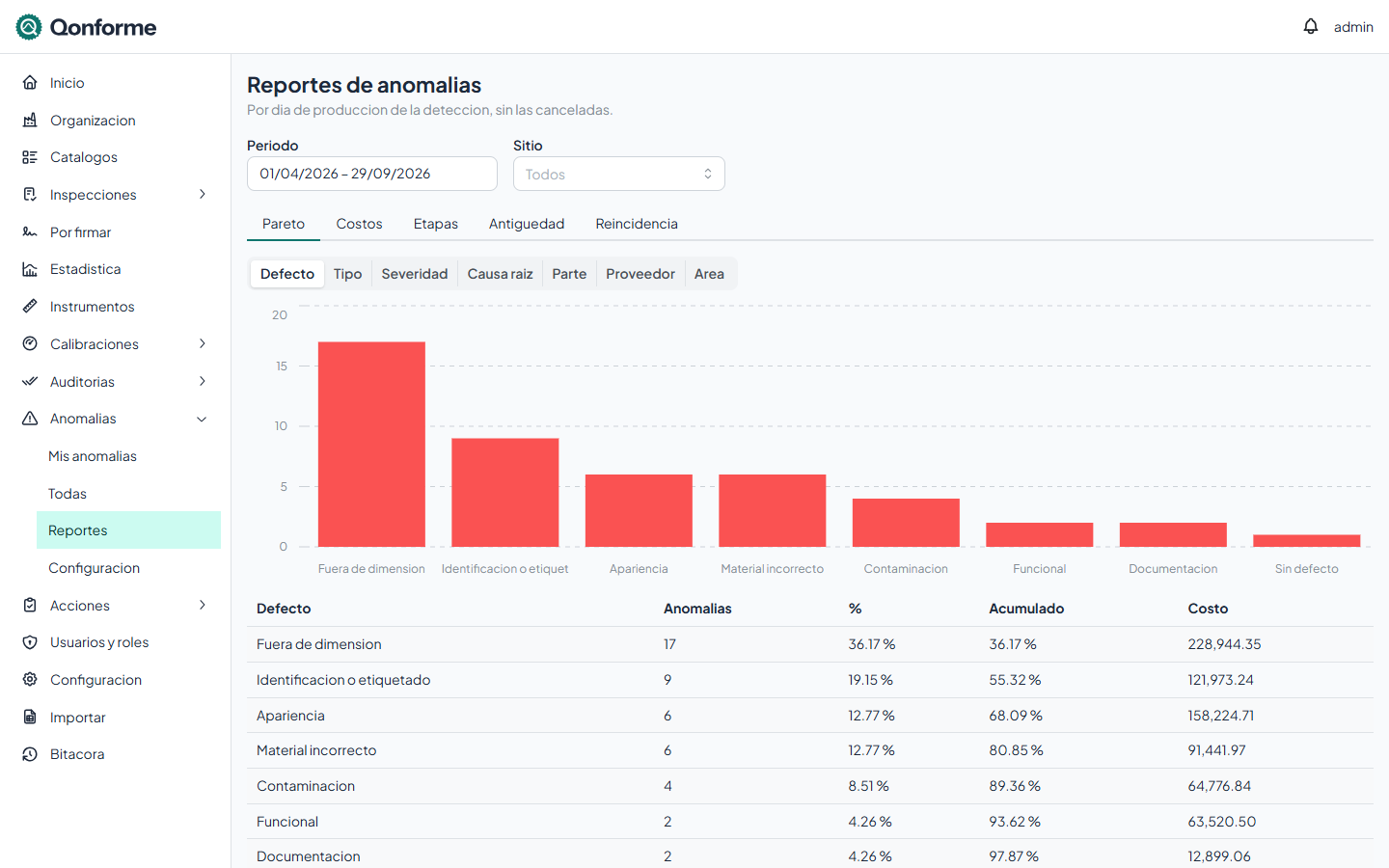
Nonconformance Pareto, any way you need it
By defect, type, severity, root cause, part, supplier or area, each group with its cost. Plus on-time performance per stage against the original and current due dates, open cases by age and recurrence by part and cause.
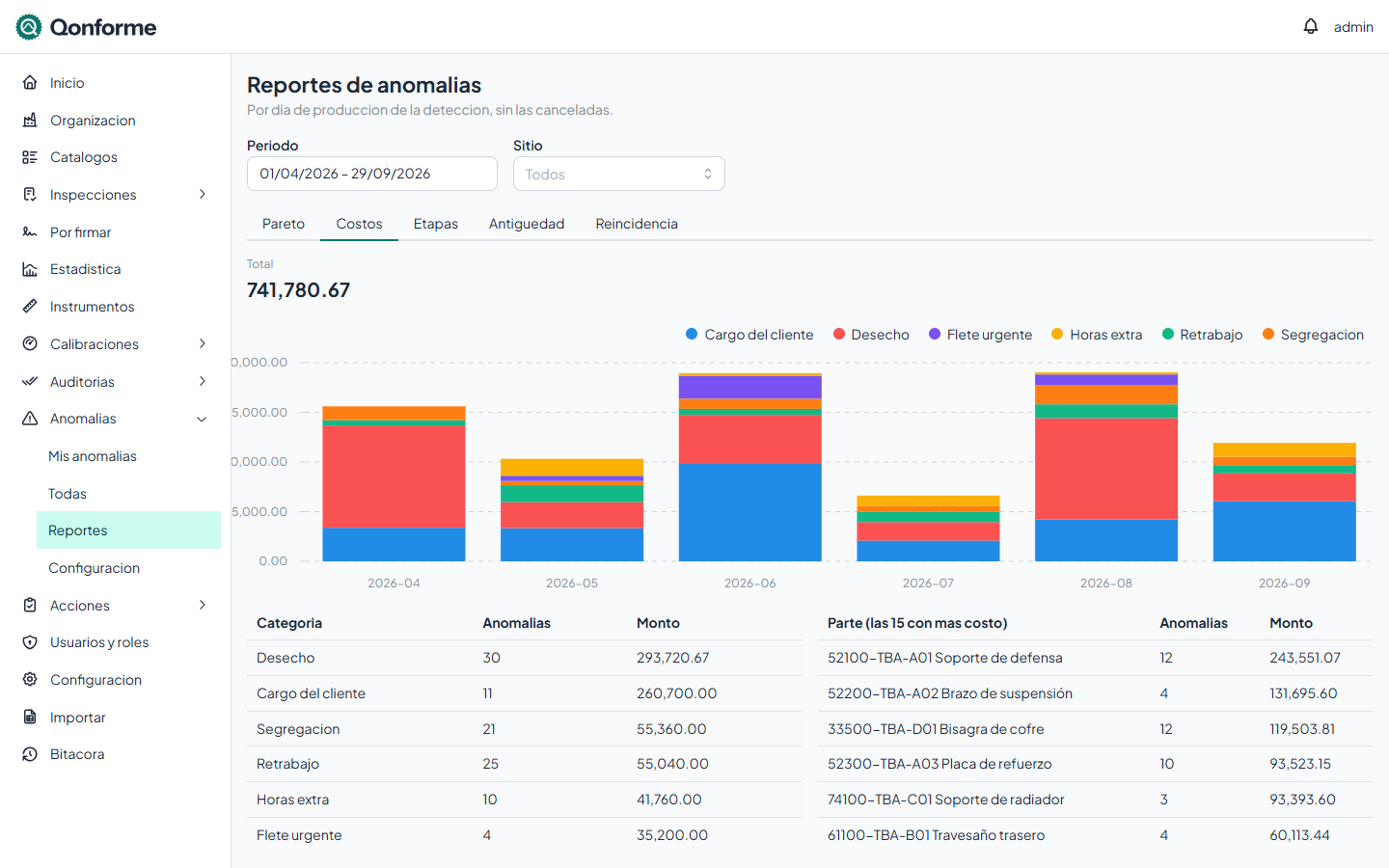
What poor quality costs you
Scrap, rework, sorting, overtime, expedited freight and customer charges, recorded on each nonconformance with your labor rate. The report totals them by month, by category and by part.
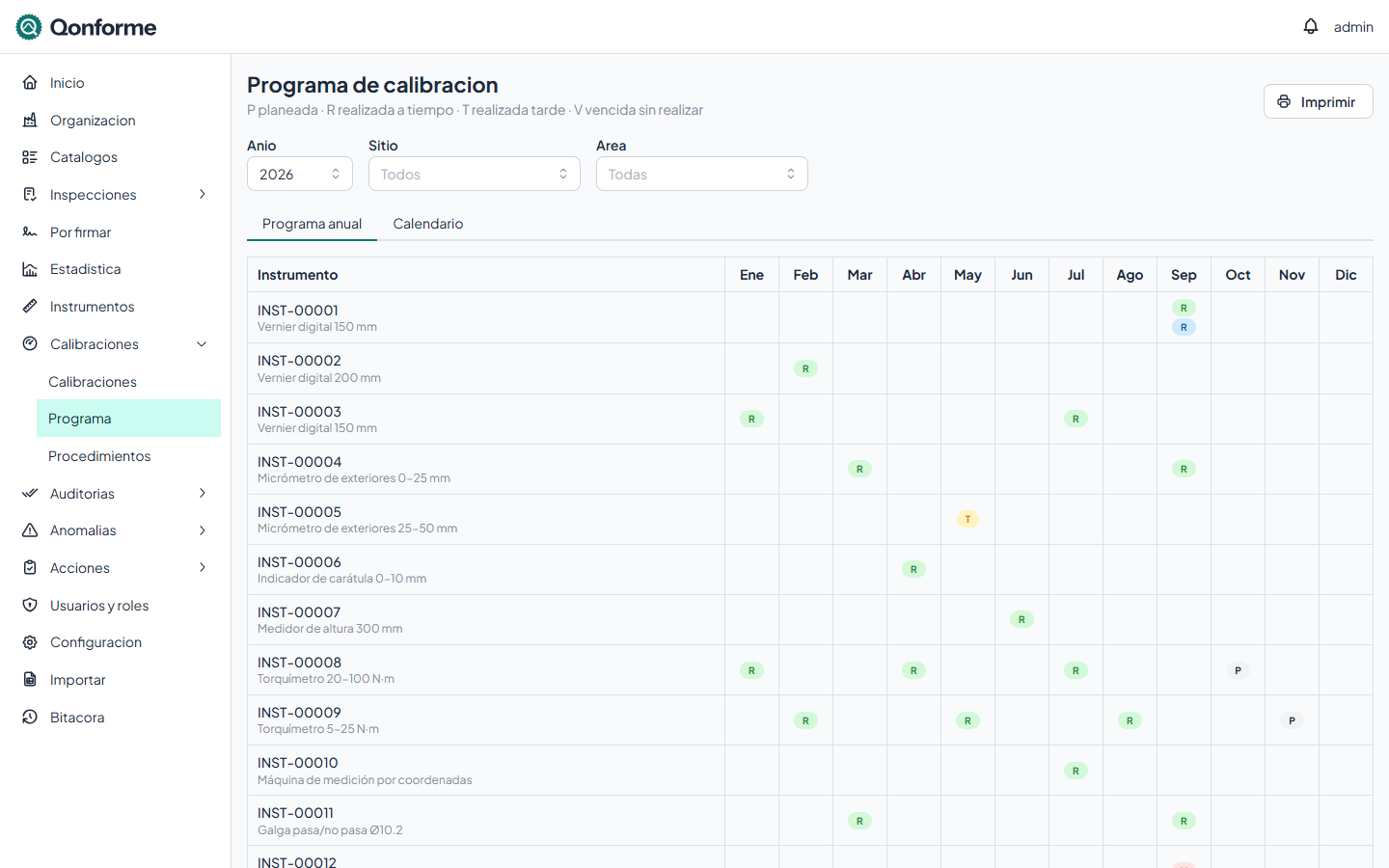
Annual program, planned versus done
Every gauge by month: planned, done on time, late or overdue. With a monthly calendar, area filter and the printed program for the auditor's binder.
Printed forms
Everything prints with your code and revision
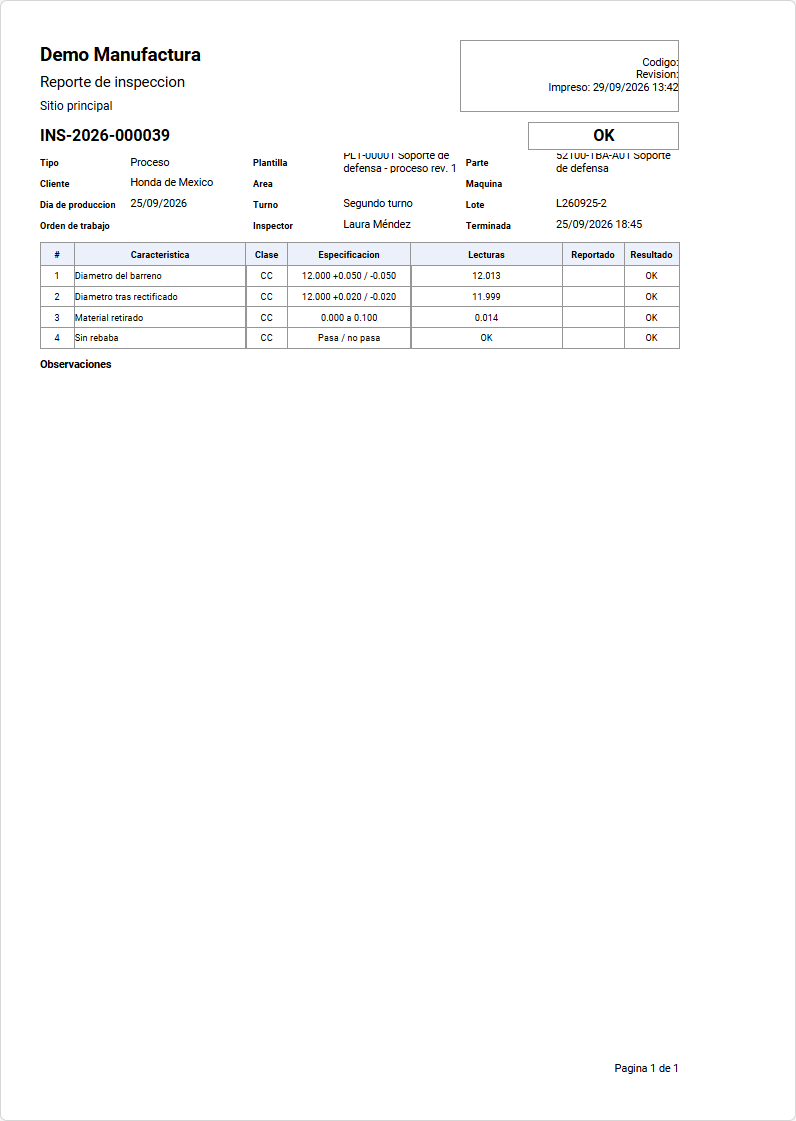
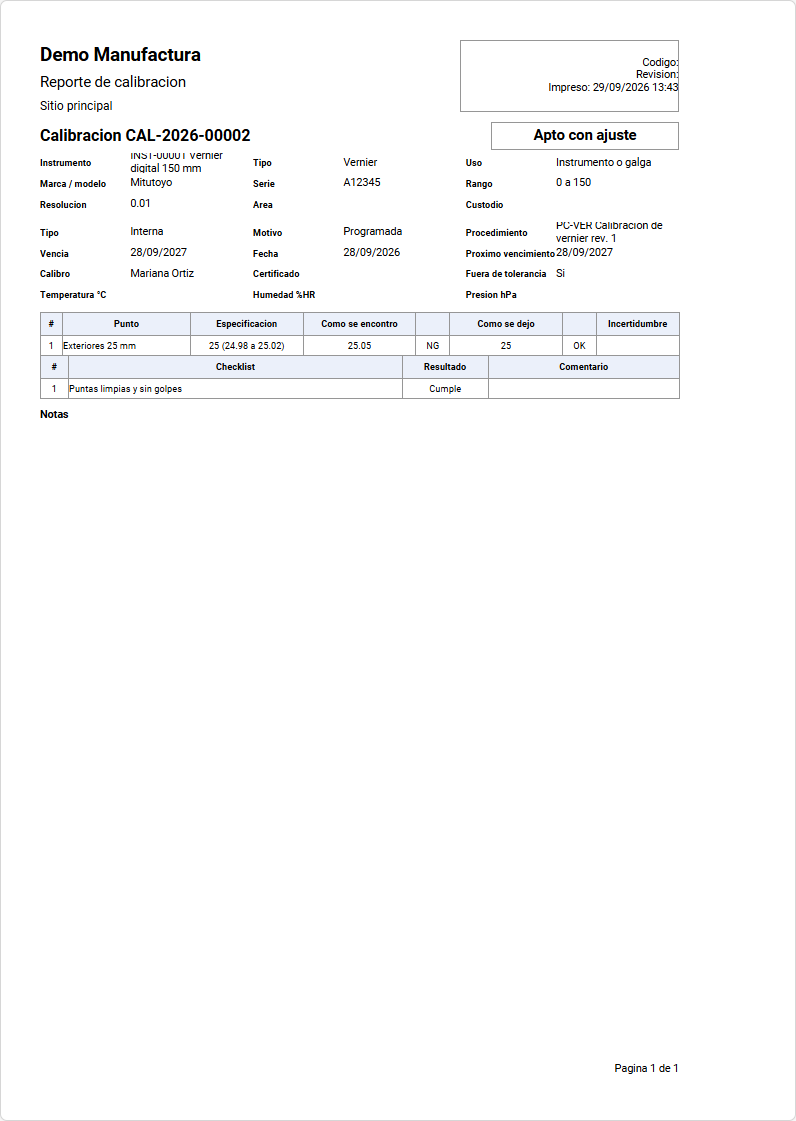
Every record comes out as PDF or on paper from its own screen, in a gallery format or one of your own built with the integrated designer. Signed records print with their signatures. Forms can be bilingual.
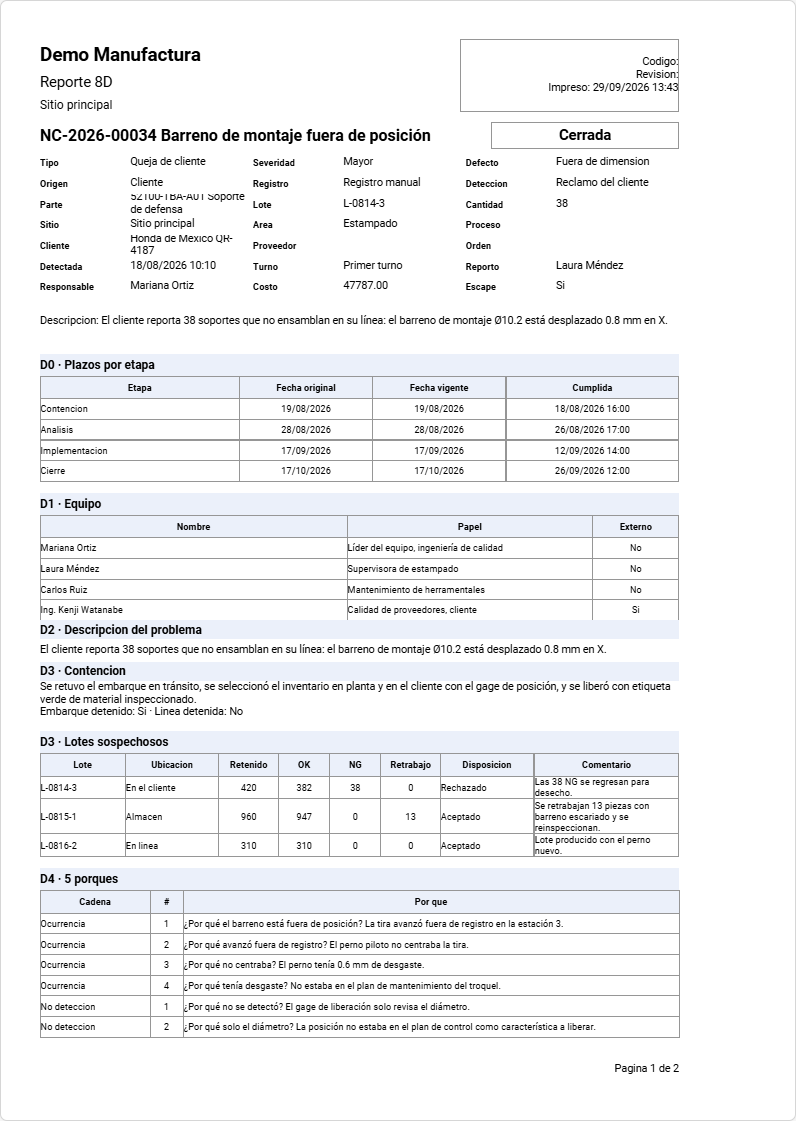
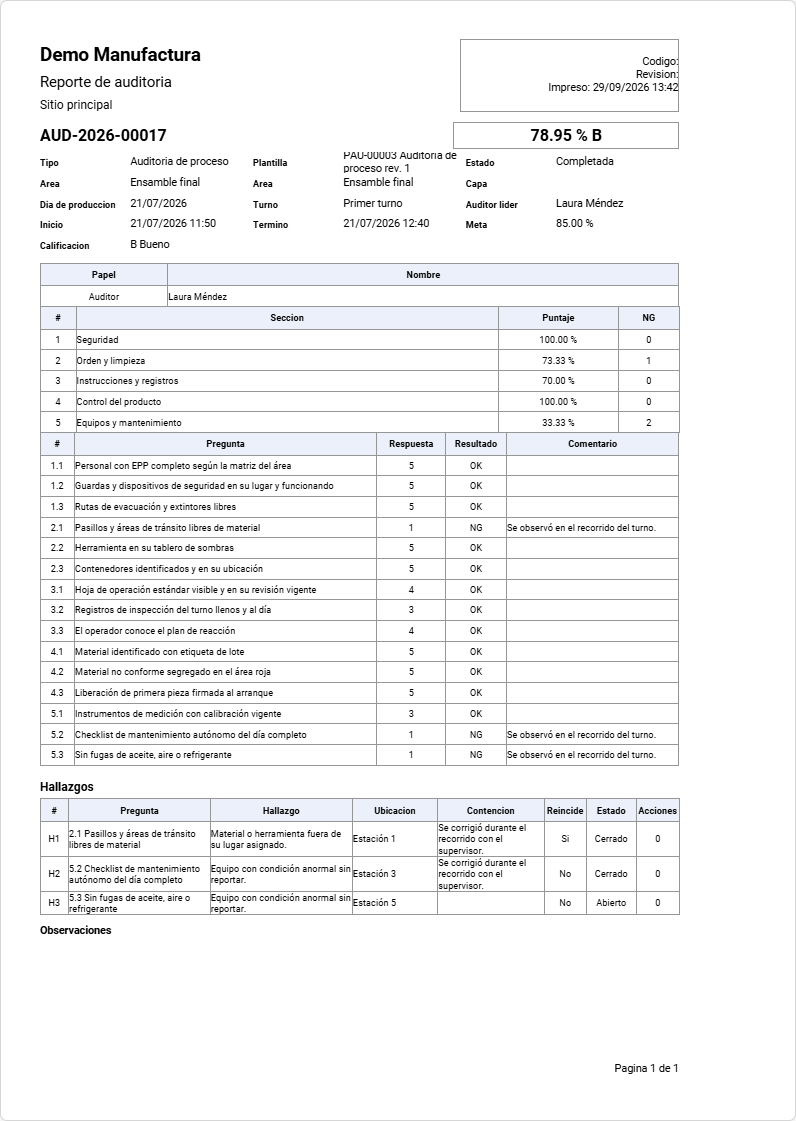
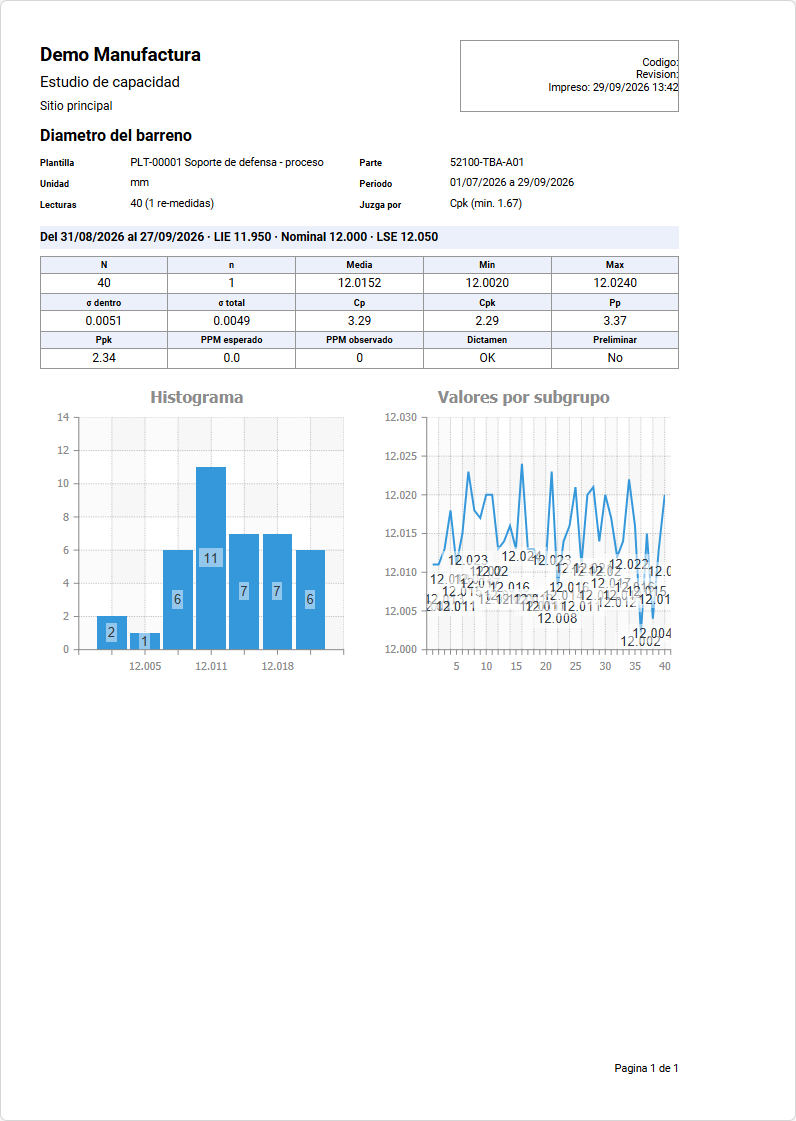
Also in the industry gallery:
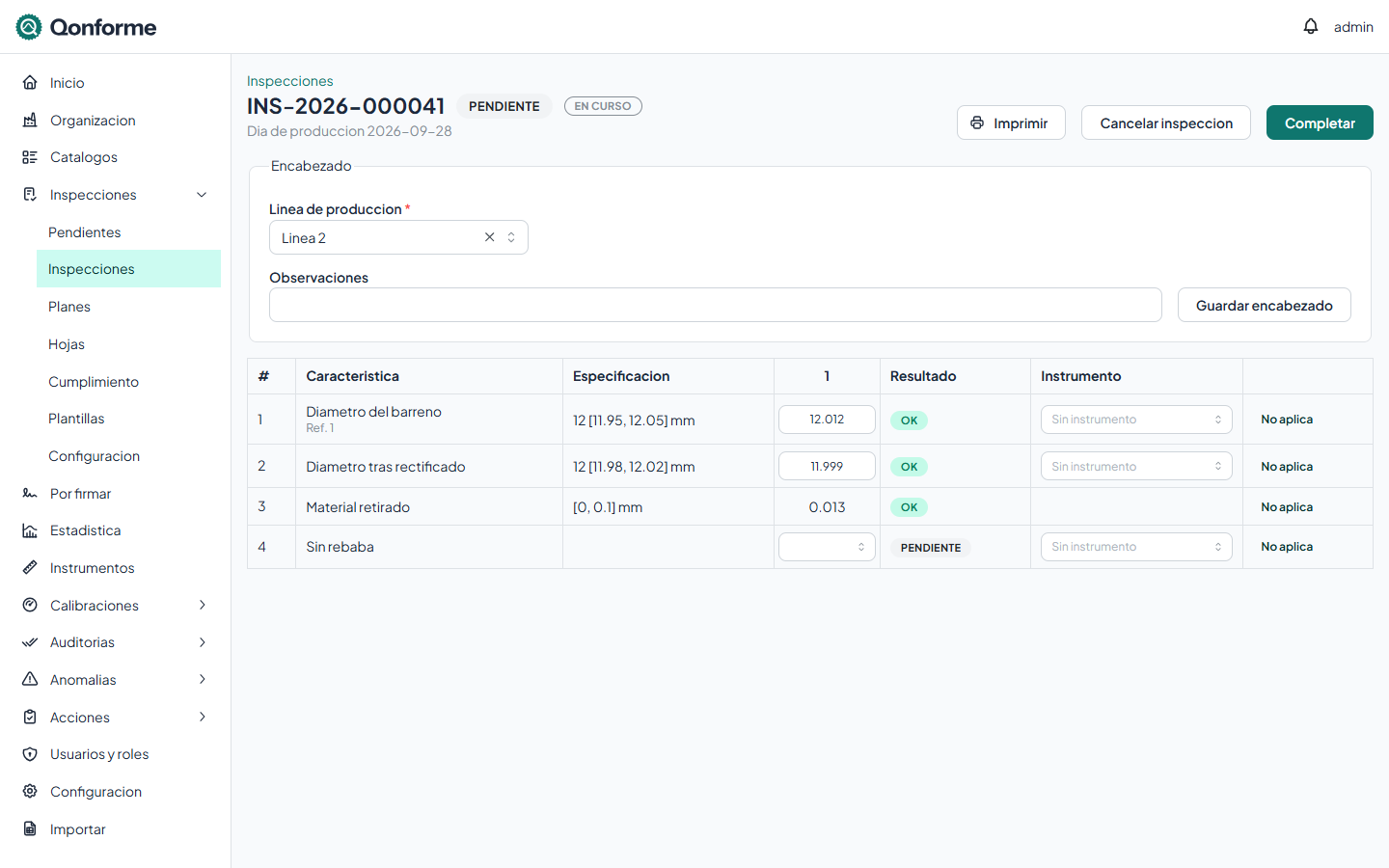
Inspections · base module
From template to signature, in a single system
Qonforme replaces paper forms, scattered spreadsheets and per-customer installed systems with a cloud service that is configured, not programmed: each organization defines its inspection types, frequencies, thresholds and terminology.
Versioned templates
Variable, attribute or list characteristics, with one- or two-sided specifications, classification and reaction plan. Every published revision is locked.
Plans and pending work
The plan says what, where, when and who; Qonforme builds each shift's queue and flags what was late or missed. Events such as a tooling change create their inspection on the spot.
Live judgment while recording
OK/NG per reading, per characteristic and per inspection as you type. Calculated values fill themselves in, and a re-measurement keeps the previous value.
Shop-floor tablet
Tablets registered per line, sign-in with badge and PIN, auto sign-out on inactivity and touch-friendly entry. Every operator has their own user, so everything is under their name.
Statistics and capability
Cp, Cpk, Pp and Ppk, I-MR, X̄-R and X̄-S charts and a histogram with the normal curve, judged against the thresholds you set per characteristic class.
Electronic signatures
Prepared, reviewed and approved, with the meaning of each step, password or PIN, handwritten signature and a fingerprint of the signed content. Pending inbox and batch signing.
Notifications and alerts
One NG alert per inspection, reminders for overdue work and pending signatures, in the app or by email, or bundled in a periodic digest.
Printed forms
Everything you record prints with your form's code and revision, in one or two languages. Built-in designer, gallery of base forms, inspection sheets and PDF.
Roles, scope and audit trail
Role permissions and scope by site or area: everyone sees and records their own. Every change goes to the audit trail, with a reason when your standard requires one.
Every record stands on its own, years later
When recorded, the inspection keeps a copy of the specification in force: even if the template moves to a new revision, the result still reads the same. Once signed it is locked, and if anyone alters it behind the scenes, the signature gives it away.
Create your workspace and record your first inspection today
Add-on modules
Grow at your own pace: calibration, audits and nonconformances
Contract only the ones you need. They share catalogs, users, signatures and notifications, and they talk to each other: an out-of-tolerance gauge, an NG inspection or an audit finding opens its nonconformance in one click.
Calibration · add-on module
No overdue gauge on the line
The calibration program lives next to inspections: when recording, Qonforme checks that the gauge is current and fit for use, and blocks or warns according to your policy.
Program and calendar
Interval per gauge with grace days, monthly calendar and annual program, planned versus done, filterable by area.
Calibration record
As-found and as-left points, checklist, environmental conditions and uncertainty. On save, the next due date is recalculated automatically.
Traceable standards
Each calibration records the reference standards it used and checks they are current. External certificates attached, with their laboratory and number.
Reminders
To the custodian or the area owner, days before the due date, with a periodic digest and a PDF of upcoming due dates attached.
Out of tolerance
If a gauge is found NG, Qonforme lists the inspections made with it since its last good calibration, so you can assess the impact.
Master parts and labels
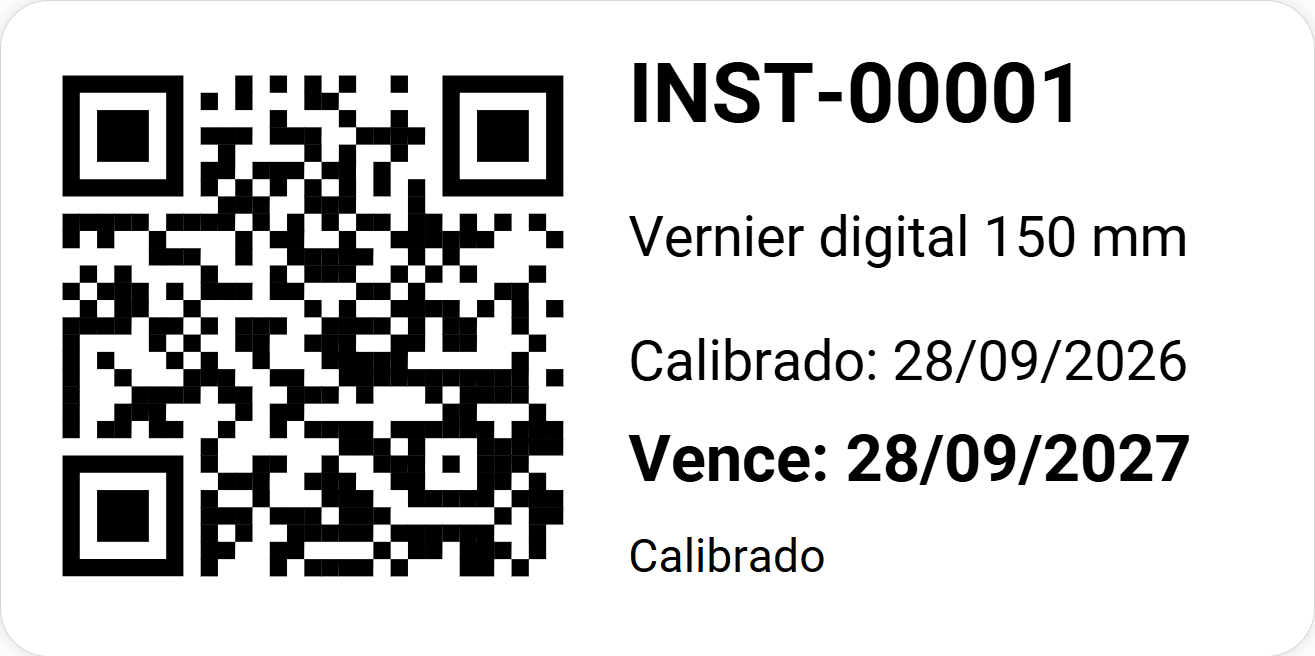
Master parts linked to their part number, reference-only equipment, QR label that opens the gauge record and a control card with its full history.
Audits · add-on module
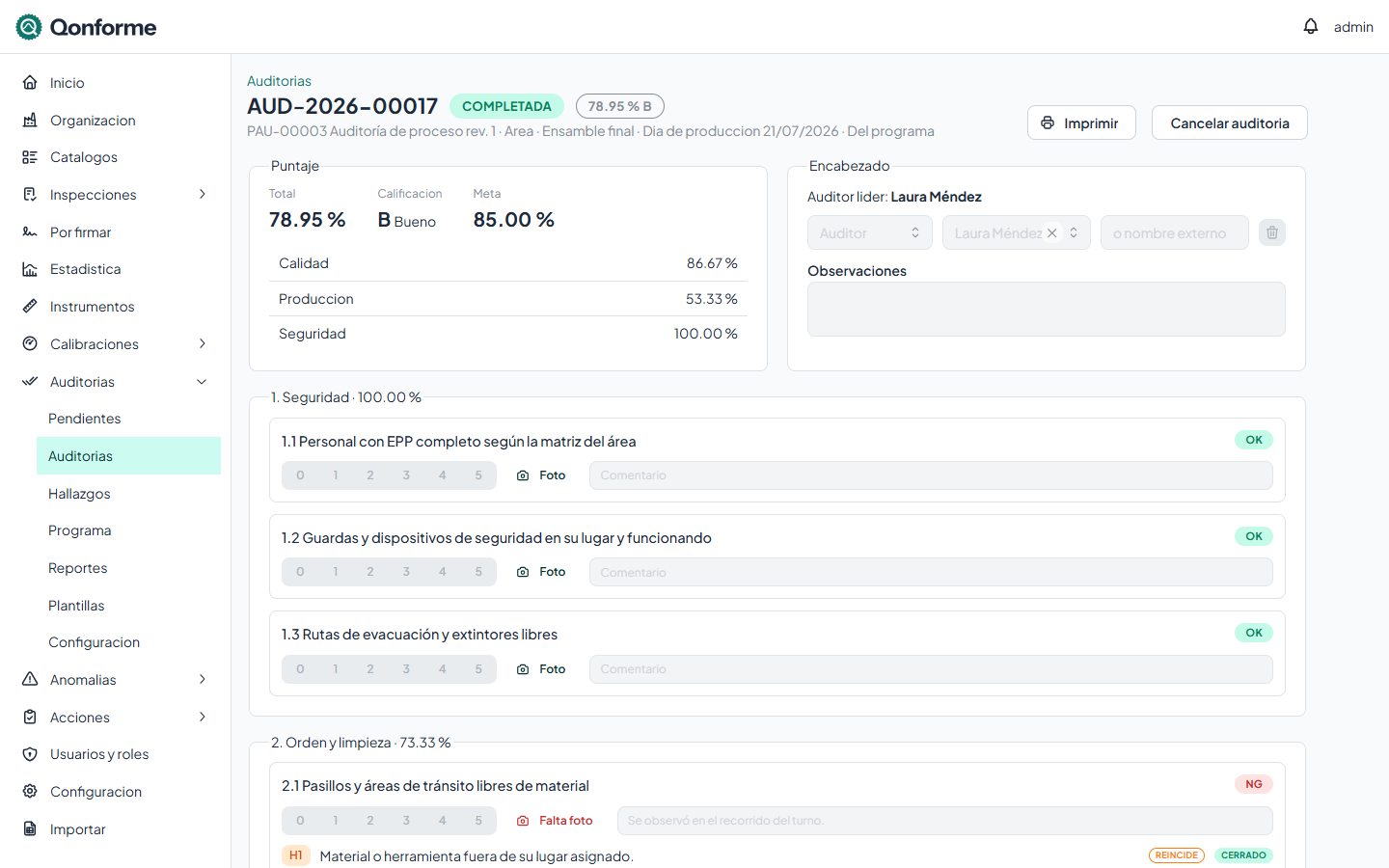
Audits and LPA with a live score
From 5S to process and layered audits: the auditor answers on the PC or the tablet, with a photo when needed, and sees the score by section and the grade as they go. Every NG leaves its finding with its action.
Weighted templates
Sections, scale or yes/no questions, weights, N/A, required photo on failure and a grading scale. Every published revision is locked; the question bank is imported from Excel.
Program and LPA
The year's planned audits plus rules by layer, area and frequency that build the queue on their own. Anything not done within its window is marked missed and notified.
Tracked actions
Owner and due date, approval and effectiveness check if your standard requires them, reschedules that keep the original date and three-level escalation.
Nonconformances · add-on module
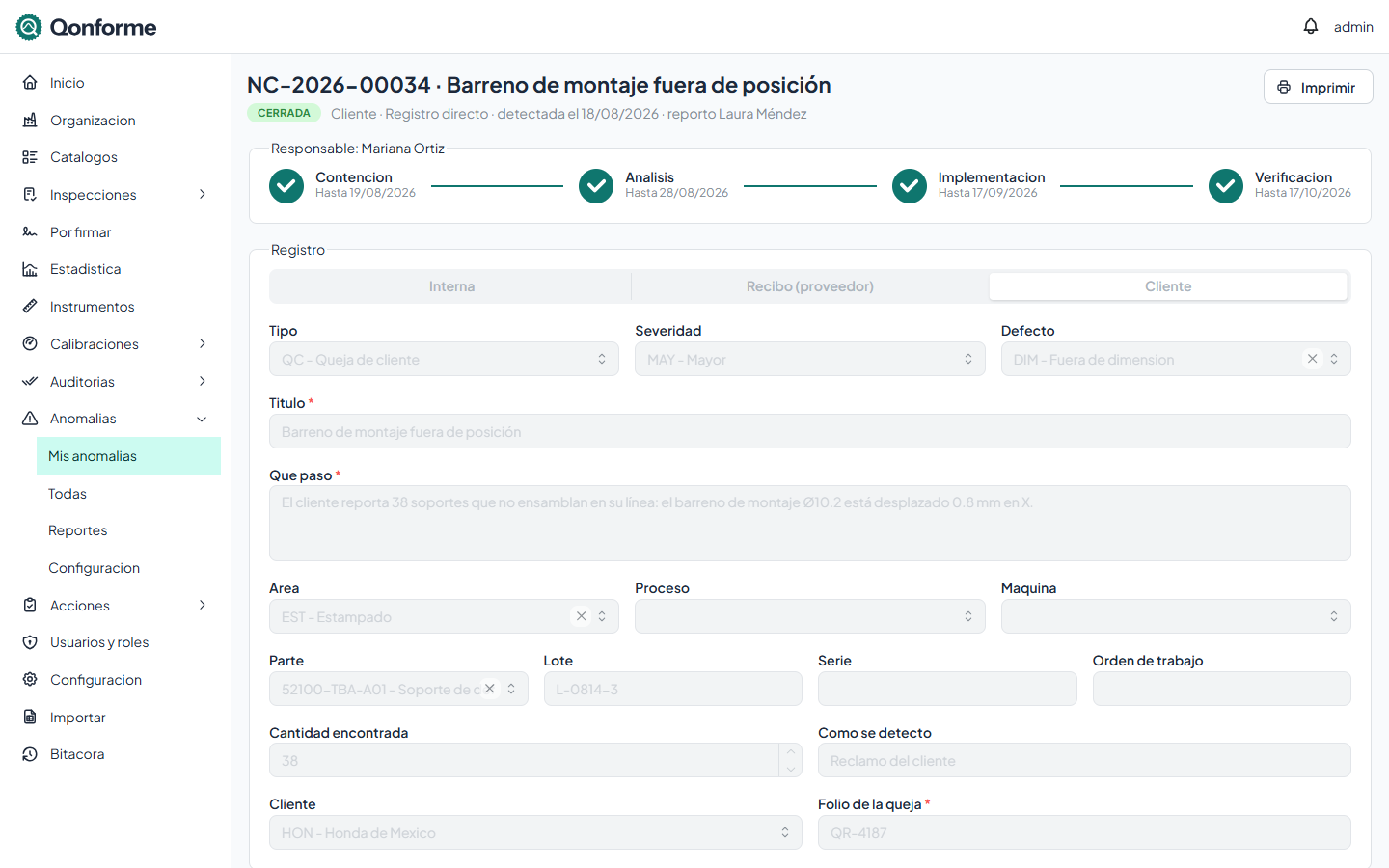
Nonconformances from start to finish
Internal, receiving or customer complaints, in a single flow that each type tailors: containment, analysis, implementation and verification, each stage with its due date counted from the day of detection.
Containment with lots
Suspect lots by location, sorted into OK, NG and rework, and dispositioned. A held lot cannot be accepted in another inspection until it is decided.
Root cause analysis
Team, 5 whys for occurrence and non-detection, a 6M Ishikawa and the verified root cause, with permanent actions and an effectiveness check.
Concessions and costs
Concessions authorized and signed by lot and validity, treatment with a temporary inspection plan and the cost of poor quality by category.
For any industry with a quality system
Qonforme is not tied to one sector, nor limited to manufacturing. You decide whether the screen says part, product or material, and when you create your workspace you pick industry packs that preload catalogs and inspection types.
Highlighted packs are already reviewed with industry experts; the rest are available as a preview.
How it works
There is nothing to install: your team signs in from the browser, on a PC or a tablet, at your company's address.

1. Create your workspace
Choose your company's address, such as acme.qonforme.cloud, and your industry packs, then set your password from the confirmation email.
2. Set up your modules
Import your parts, gauges, templates and audit questions from Excel, or add them in the portal, and build your plans and annual program.
3. Record, sign and report
Inspectors and auditors record on the tablet, the supervisor signs in batch and quality brings capability, Pareto charts and the cost of poor quality to the meeting.
Pay for what you use, no surprises
Every customer gets Inspections with the full platform; Calibration, Audits and Nonconformances are contracted separately, whenever you need them. Pricing is by tier of active users; shop-floor operators count too, because each one signs what they record.
Free trial
To get to know Qonforme
21 days at no cost
- All four modules
- Portal and shop-floor tablet
- Industry packs
- When it ends, your data stays
Inspections
Every customer has it
Per tier
- Templates, plans, recording and tablet
- Statistics, capability and reports
- Electronic signatures and audit trail
- Gauge catalog
- Printed forms, notifications and Excel import
Add-ons
Each one separately
Per tier
- Calibration: program, standards, reminders and out-of-tolerance impact
- Audits and LPA: program, score, findings and actions
- Nonconformances: containment, root cause, 8D and cost of poor quality
- If you cancel one, its data is kept